
Choose your AI
You choose where the AI runs. You can switch later from Settings.
Drifty Cloud
Section titled “Drifty Cloud”We host the AI for you. Nothing extra to install. New accounts can start with a Cloud trial. Activity context still leaves the device only as minimized classification fields.
Local AI
Section titled “Local AI”Local AI runs on this computer. Activity never leaves the device for classification. It needs a one-time model download and enough free disk and memory. If the selected local model is not ready, tracking still continues; labels wait.
Bring your own key
Section titled “Bring your own key”Use your own API key from OpenRouter, OpenAI or Anthropic. drifty sends minimized activity context to the model you picked. Cost depends on usage, typically a few dollars a month. Keys are stored in your operating system’s credential store and masked in the UI.
OpenRouter
Section titled “OpenRouter”The key must start with sk-or-.
OpenAI and Anthropic
Section titled “OpenAI and Anthropic”drifty sends minimized activity context straight to api.openai.com or api.anthropic.com, with no OpenRouter account in between. The same connection runs classification, projects and Day/Week titles. The default models are gpt-6-luna and claude-haiku-5-5; you can type another model ID.
Typing a key makes that provider the one in use. The key is kept when you switch to another provider.
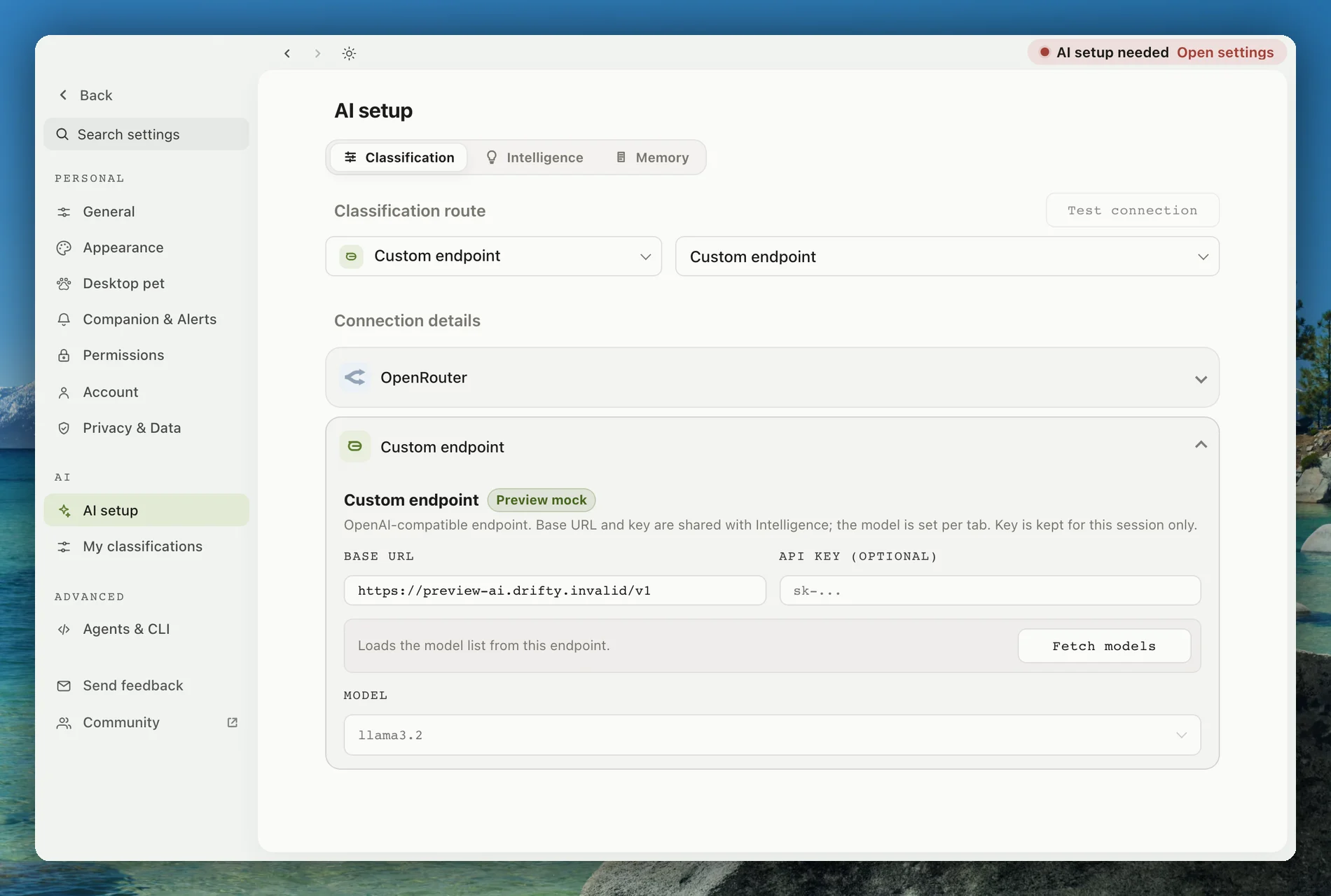
Custom endpoint
Section titled “Custom endpoint”Point drifty at any OpenAI-compatible endpoint and model you run. This is for people who already operate their own inference.
Offline behavior
Section titled “Offline behavior”Activity capture stays local without internet. Cloud and own-key classification need a connection; when you are back online, drifty can catch up. Local AI can classify on-device after the model is ready.
If a label is wrong after classification, correct it so later days follow the change.