
Drifty documentation
Drifty is an AI-powered time analysis app for macOS and Windows. It quietly turns app, site, and window context into a timeline you can understand and use to return to focused work.
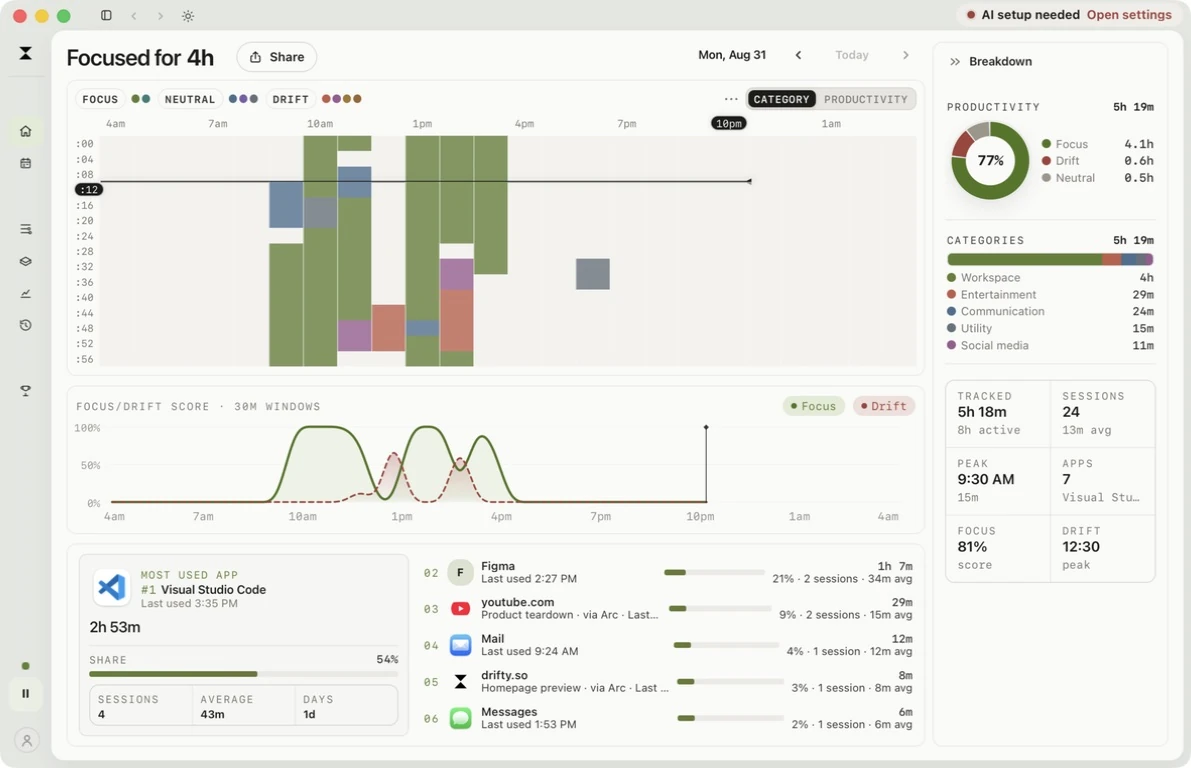
How it works
Section titled “How it works”Capture
No timers. The frontmost app, window, and site become a day flow you can read at the detail level you choose.
Classify
Choose Cloud, on-device AI, or your own key. Labels stay on the local timeline, not a public report.
Return
Companion stays in the menu bar or system tray, then makes the next move clear when drift is confirmed.
Start here
Section titled “Start here”Install
Download the signed Mac or Windows app and finish the platform-specific first-run setup.
Timeline
Read the day as focus, neutral, and drift, then stack the same capture into a week.
Privacy
Keep history local, then choose Cloud, on-device AI, or your own key.
Companion
Stay in the menu bar or system tray, then return to focus when drift is confirmed.